Unnatural
IntelligenceSAIT student club · Saitsa

AIAgentsWhat? How?

→ press to dive in  ·  MB202 · Thu Oct 1
Unnatural Intelligence jellyfish mascot

Tonight's map

Two hours, five stops

01
15 min

Hello + history

Who we are, and 70 years of talking to machines.

02
30 min

What is an agent?

Chatbots answer. Agents act.

03
30 min

How it works

The loop, the tools, the risks.

04
30 min

Hands-on

Install opencode. Give it a real job.

05
15 min

What's next

The speed of everything, then Q&A.

A short history

How do you talk
to a machine?

Every interface in history answers one question: who does the translating? For 70 years, the answer has been sliding from you… to the machine.

🙋You
🗣️ translating…
← machine speaks humanyou speak machine →
🤖Machine

Press → to travel through time

⏳ 1950 → today
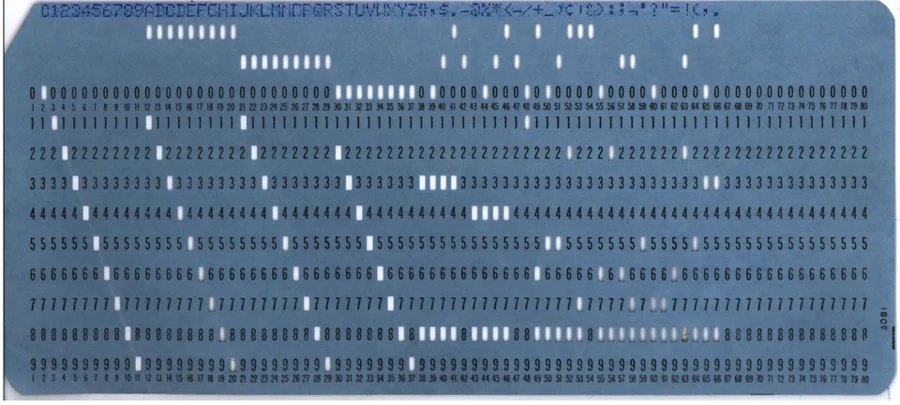
IBM-style punched card
1950s

Punch cards

You write a program as holes in cardboard, hand the stack to an operator and come back tomorrow. One typo? Come back the day after.

You speak machine

1966

ELIZA

The first chatbot, by Joseph Weizenbaum at MIT. It only flipped your words back as questions, and people still told it their secrets.
The illusion of understanding
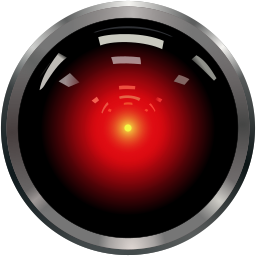
HAL 9000 eye
1968

HAL 9000

In 2001: A Space Odyssey, a computer you can just talk to. The dream… and the warning: “I'm sorry Dave, I'm afraid I can't do that.”
Science fiction sets the bar
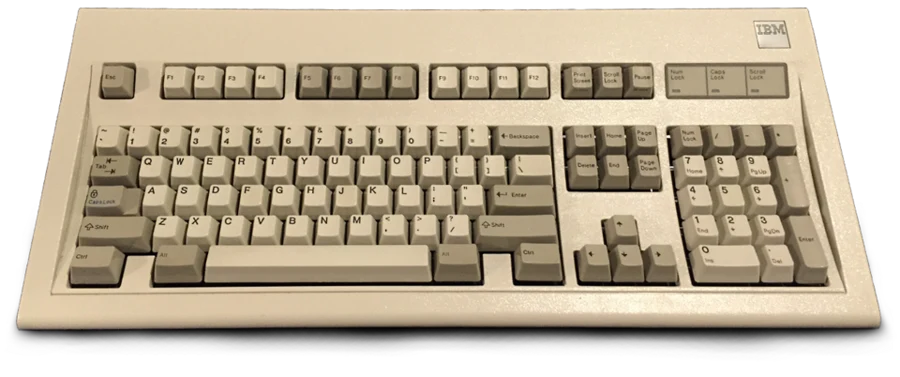
IBM Model M keyboard
1980s

The command line

A keyboard and a blinking cursor. Powerful, if you memorized exact commands. C:\> DIR /W
Speak its words, exactly
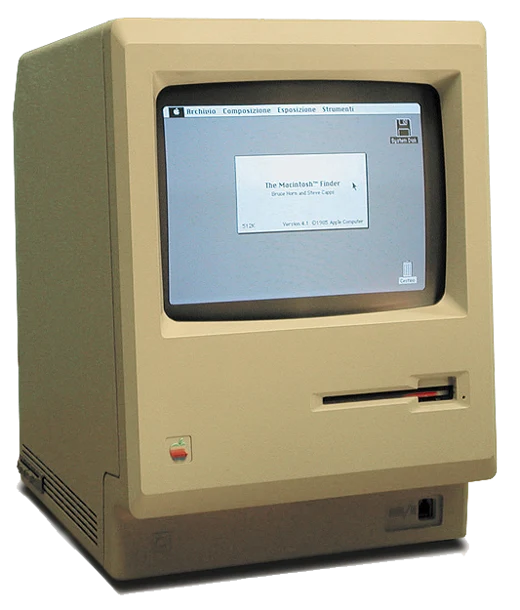
Apple Macintosh 128K, 1984
1984

Point & click

The Macintosh puts windows, icons and a mouse in your home. You stop remembering commands, you see them.
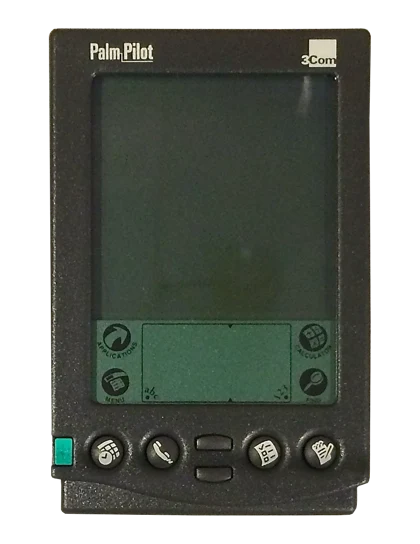
Show me, don't tell me
Palm Pilot 1000, 1996
1996

Palm Pilot

A computer in your pocket. You write on glass with a stylus… but you still have to learn its alphabet (Graffiti).


Almost natural
iPhone 4S, 2011
Siri
2011

Siri

The iPhone 4S ships with Siri. Just say it. “Set a timer for 10 minutes.” Anything more complicated: “Here's what I found on the web.”

Voice, with a script
Amazon Alexa
“Alexa, play music.”
2014

Alexa

The assistant moves into your kitchen. Millions of homes, mostly used for timers, weather and music. Useful, but it can't really do much.

Always listening, rarely acting
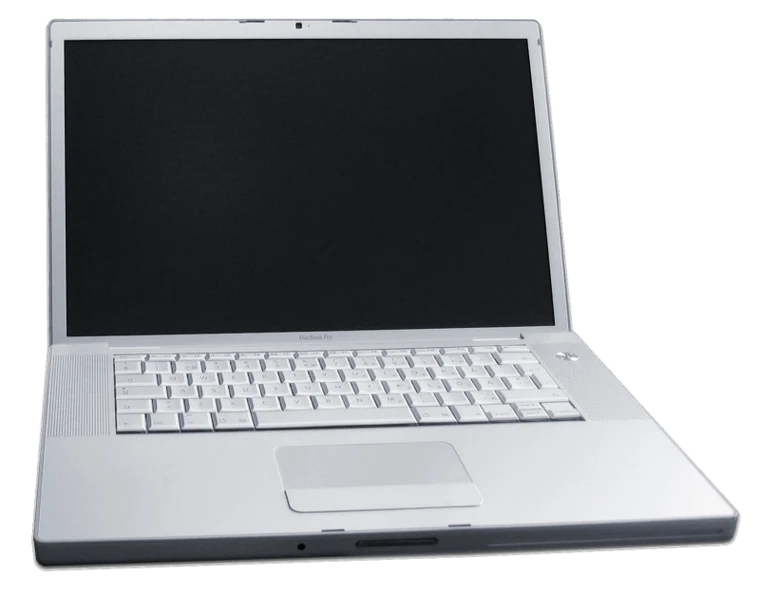
Laptop
Explain recursion like I'm 5
Imagine a box with a smaller box inside…
Now as a pirate
Arr! A treasure map that leads to… another map!
2022

ChatGPT

Nov 30. The machine finally speaks human, any topic, any style. 100 million users in two months. But it only talks.

It understands you
opencode· build mode
› fix the broken link on my site
→ read index.html
→ found href="/abuot"
✎ edit index.html +1 −1
✓ done, link fixed
2025

Agents

The AI gets hands: it reads your files, runs tools, checks its work and keeps going until the job is done.

It does the thing

The pattern

You used to describe the steps.
Now you describe the outcome.

📇
Holespunch cards
⌨️
Commandsexact words
🖱️
Clickssee & point
👆
Touchpocket glass
🎙️
Voiceshort scripts
💬
Wordsany question
🎯
Goals“make it happen”
That's an agent.
01

Part one

What is
an agent?

Same brain as a chatbot. Very different job.

Same message, two helpers

“My bike tire is flat and I have class at 9.”

💬 Chatbotanswers
🦾 Agentacts

The recipe

An agent is three things

🧠
A brainA language model (GPT, Claude, Grok, Gemini…) that reads, reasons and decides.
+
🛠️
HandsTools: read files, run commands, search the web, click buttons.
+
A loopIt keeps going: try → check → fix, until the goal is done.
=
Agent

Everyday agents

What would you hand off?

📚

Study

“Turn my lecture notes into a practice quiz.”
reads your notes folder
writes 20 questions
builds a quiz page you can open
📄

Resume

“Tailor my resume to this job posting.”
compares resume vs posting
rewrites bullets, invents nothing
lists likely interview questions
🚀

Project

“Make a website for my club's bake sale.”
plans the pages
writes the code
opens it, fixes what's broken
02

Part two

How does
it work?

No magic. A loop, a toolbox and a few rules.

👀Perceiveread the situation
🤔Decidepick the next step
🛠️Actuse a tool
✅Checkdid it work?

The agent loop

Perceive → decide
→ act → check

Goal: “Put my quiz page online.”

PerceiveLooks at the folder: there's a quiz.html, no website yet.
Decide“Simplest path: make an index.html, then deploy.”
ActRenames the file, runs the deploy command.
CheckOpens the link… 404! Back to perceive and go around again.

Watch one loop, live-ish

~/agent-lab — opencodeopencode
● Buildtab: plan/build · esc: interrupt
👀Perceive
🤔Decide
🛠️Act
✅Check

The toolbox

Tools turn words into actions

📖
ReadOpen and understand your files.read notes.md
✍️
WriteCreate or edit files, line by line.edit index.html
💻
RunUse the terminal like you would.bash npm test
🔎
SearchLook things up on the web.webfetch docs
🌐
BrowseClick around websites and apps.browser click
🔌
ConnectPlug into apps through MCP servers.mcp calendar
🧾
RememberKeep notes about your project.AGENTS.md
🙋
Ask youThe most underrated tool of all.“allow this?”

Quick game · press → or click a card

Would you let an agent…

📸

Rename 300 vacation photos by date?

tap to reveal
Go for it

Boring, repetitive and easy to check. Agents' favourite kind of job.

✉️

Email your professor for you?

tap to reveal
Draft only

Let it write. You read it and press send. Your name, your voice.

🗑️

Clean up your Downloads folder?

tap to reveal
Plan first

Ask for the list of what it would delete. Approve, then act.

💳

Pay your rent with your card?

tap to reveal
Human finish

Money, legal stuff, anything you can't undo: you do the final click.

🕸️

Read a random webpage and run the commands it suggests?

tap to reveal
Nope

That's prompt injection: hidden text on a page can give your agent orders.

Rules of the road

Stay in the loop

01
🗺️
Plan firstIn opencode, press Tab for Plan mode: it thinks but can't touch files.
02
👓
Read the diffLook at what changed before you trust it. Green = added, red = removed.
03
⏪
Undo existsType /undo to roll back the last change. Try again with a better ask.
04
🔐
No secretsNever paste passwords, API keys or anyone's private info into a prompt.
05
🧪
Sandbox itWork in a fresh folder, not your Documents or your whole drive.

Agents are confident, fast and sometimes wrong. You are the editor-in-chief.

03

Part three · laptops open

Your turn
to drive

Open this page on your laptop. Every command has a copy button.

Meet your agent

🆓
Free and open source: you can read every line of it.
💻
Lives in your terminal (desktop app too).
🔀
Works with any model: Claude, GPT, Gemini, Grok, local ones…
🗺️
Plan mode to think, Build mode to act.
~/agent-lab● Build
make me a quiz about jellyfish 🪼
→ Write quiz.html +96 lines
→ Bash open quiz.html
Done! 10 questions, from “how many hearts?” (zero) to “are they immortal?” (one species, sort of).
now make it harder
tab plan/build@ file/ commandsesc stop

Step 1 · install

Install it on Windows

1
🌐 nodejs.org → download LTSopen
Get Node.js. Click the big download button, then Next, Next, Finish.
2
⊞ Windows key → type PowerShell → Enter
Open PowerShell. A blue or black window with a blinking cursor.
3
npm install -g opencode-ai
Install opencode. Paste with right-click, then press Enter. Wait for it to finish.
4
opencode --version
Check it. See a version number? You're in.
Red error “running scripts is disabled”? Paste this, press Enter, then try step 3 again:
Set-ExecutionPolicy -Scope CurrentUser RemoteSigned -Force

Step 2 · first run

Wake it up

1
mkdir agent-lab; cd agent-lab
Make a playground. A fresh, empty folder. Nothing to break.
2
opencode
Start it. The opencode screen opens right in your terminal.
3
what can you do in this folder?
Say hi. Talk to it like a new teammate.

Step 3 · pick a quest

Things a chatbot can't do

Level 1 · Files
🗂️

Tidy-up robot

Create a folder called messy with 25 fake files with random names: photos, homework, receipts, memes and notes. Then sort them into folders by type, give every file a clear name, and write report.md listing everything you moved.
A chatbot can't create, move or rename files on your computer.
Level 2 · Research
🔎

Weekend scout

Look up 5 free things to do in Calgary this weekend. Open each page to check the event is real and the date is right. Save the ones that pass to weekend.md with the date, the place and the link.
It browses, double-checks its own findings, and saves the result.
Boss level · Build & run
🎮

Jelly dodge

Build a small browser game: a jellyfish dodges falling plastic bags with the arrow keys, with a score and a restart button. Then start a local web server so I can play it from a link, and fix any errors you hit along the way.
It writes the code, runs it, sees the errors and fixes them on its own.

Level up your asks

The prompt
recipe

🎯
GoalWhat do you want to exist at the end?
📎
ContextFiles, examples, who it's for.
🚧
LimitsWhat it must not do or touch.
🏁
Done whenHow you'll both know it worked.
Before
make me a study thing
After
Make flashcards for my biology midterm from @notes/week3.md, for a first-year student. Don't edit my notes, only create new files. Done when I can open cards.html and flip 15 cards.
04

Part four

The speed
of everything

Remember the timeline? It's not a line anymore. It's a curve.

Time to reach 100 million users

From decades to months

☎️ Telephone
75 years
📱 Mobile phone
16 years
🌐 The Web
7 years
👍 Facebook
4.5 years
📷 Instagram
2.5 years
ChatGPT
← yes, that tiny sliver is the bar
2 months
Commonly cited figures: ITU, Statista, UBS / Similarweb (Feb 2023). Bars to scale.

The last four years, to scale

The gaps are collapsing

Nov 2022
ChatGPTAI talks
Mar 2023
GPT-4passes the bar exam
Oct 2024
Computer useAI clicks & types on a screen
2025
Terminal agentsClaude Code, Codex, opencode
Aug 11 2026
Grok Botteammates with their own PC
Sep 29 2026
OpenAI Dotsalways-on agents

This semester

Agents get their own computer

Grok

Grok Bot

xAI · launched Aug 11, 2026 · beta
  • Each Bot is a named teammate with a persistent cloud computer: browser, files, terminal.
  • Signs into your apps and websites, even ones with no API.
  • Bots message each other and hand work off, 24/7.
  • Comes back only when it needs your approval.
OpenAI

OpenAI Dots

OpenAI · launched Sep 29, 2026 · ChatGPT Pro
  • A persistent assistant with its own cloud computer and browser.
  • Keeps working while your laptop is closed.
  • Connects to thousands of apps, carries context across Slack and Teams.
  • Optional access to your own laptop, off by default.
Not a chat window. A coworker.

Where is this going?

From tool to… something else

🔨
Tool
you use it
calculator, punch card
💬
Assistant
you ask it
Siri, Alexa, ChatGPT
🦾
Agent
you delegate
opencode, tonight
🧑‍🤝‍🧑
Teammate
it works beside you
Grok Bot, Dots
?
Next
it…?
your guess is as good as ours
Teams of agents running a project?Agents hiring other agents?Your own agent negotiating with mine?Who's responsible when it's wrong?

So what stays yours?

The machine learned
our language. Now what?

Taste
Judgment
Curiosity
Responsibility
Each other

Q&A · 15 min

Questions?

Ask anything: agents, careers, “will it take my job”, or why our mascot is a jellyfish.

QR code to the Unnatural Intelligence Discord
Join Unnatural Intelligence
Discord discord.gg/VDKdEjWAG
Email unnaturalintelligencesait@gmail.com
Next: mini-hackathons & creative demos.

Credits

Images & sources

Punched card · Gwern / agr · Public domain · Wikimedia Commons
HAL 9000 · Cryteria · CC BY 3.0 · Wikimedia Commons
IBM Model M · Raymangold22 · CC0 · Wikimedia Commons
Macintosh 128K · Grm wnr · CC BY-SA 3.0 · Wikimedia Commons
Palm Pilot 1000 · Ndiggity · CC BY-SA 4.0 · Wikimedia Commons
iPhone 4S · Zach Vega · CC BY-SA 3.0 · Wikimedia Commons
MacBook Pro · Baryonic Being · CC BY 2.0 · Wikimedia Commons
Logos (Siri, Alexa, ChatGPT, OpenAI, Grok) · trademarks of their owners · via Wikimedia Commons
opencode logo · anomalyco/opencode · docs
Grok Bot · x.ai/news/introducing-grok-bot
OpenAI Dots · launch breakdown
ELIZA transcript · J. Weizenbaum, Communications of the ACM, 1966
Jellyfish mascot & design · Unnatural Intelligence, SAIT
← → or click to move · F fullscreen · N notes

Speaker notes